Flashcards From PDF: Turn a Chapter Into 30 Good Cards
To make flashcards from a PDF, work one section at a time. Pull card material from headings, bold terms, figures, summaries and end-of-chapter questions. Write or generate one-idea cards, then check each card against the page and delete what you already know. For scanned PDFs, make sure the text is selectable first.
Most course material arrives as a PDF: lecture slides, textbook chapters, journal articles, handouts. Turning it into a deck is the step where many students stall, because a 30-page file feels like it should produce 300 cards. It should not. Making flashcards from PDF files well is mostly about choosing what to leave out.
This guide shows where in a PDF to look for card material, how to deal with scanned pages, how to use AI for a first draft without trusting it blindly, and a worked example from a single page.
What parts of a PDF should become flashcards?
Start with the parts the author marked as important: learning objectives, headings, bold or italic terms, figure labels, summary boxes and end-of-chapter questions. Skip examples, anecdotes and anything you already know well.
When you make flashcards from PDF chapters, remember that textbook authors have already done half the selection work for you. A chapter's learning objectives tell you what the exam is likely to ask. Bold terms are the vocabulary. Figures often hold the processes and structures you will need to label or explain. Review questions at the end are close to ready-made cards.
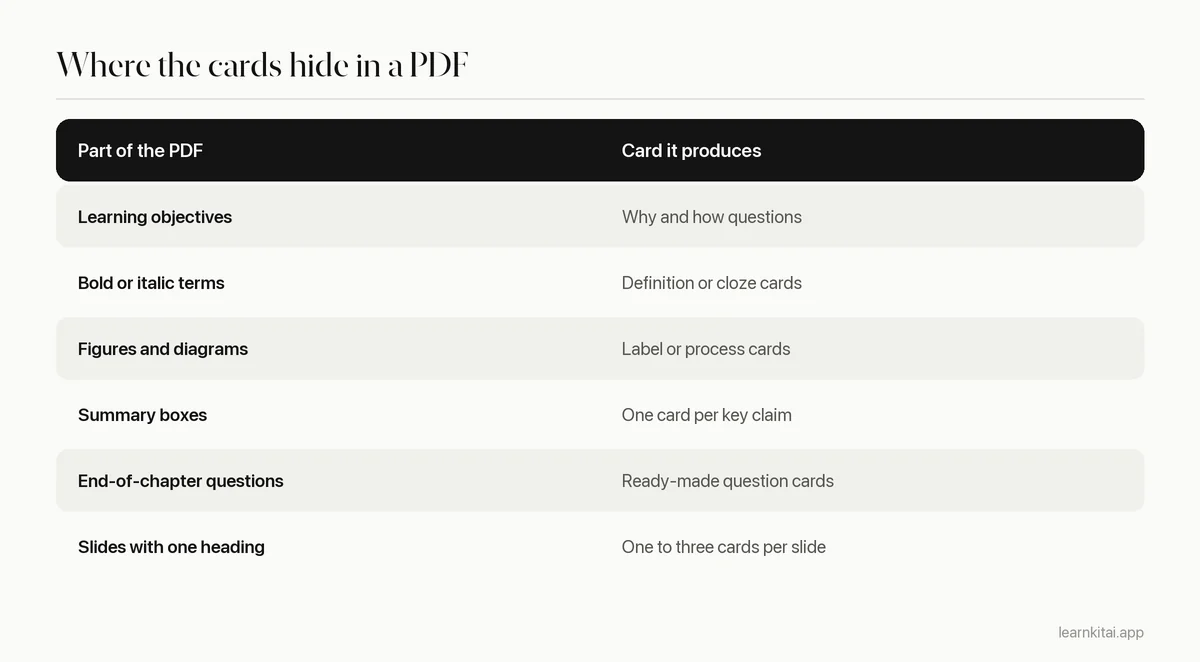
Lecture slides are a special case. Slides are compressed notes, so each slide often maps to one or two cards. But they also leave out the explanation your lecturer gave out loud. If a slide only makes sense with the spoken part, add that context to the card or to your notes first.
How do you handle scanned or image-only PDFs?
Check whether you can select the text. If you cannot, the PDF is a set of images and needs text recognition (OCR) first. Many PDF readers and study tools can do this. Proofread numbers and formulas afterward, since OCR often misreads them.
Try to highlight a sentence in the file. If the whole page selects as one block or nothing selects at all, it is a scan. Run it through an OCR feature, or photograph the pages with a tool that reads text from images. Then spot-check the result: OCR commonly confuses similar characters, drops superscripts and breaks tables. Our guide to notes from scanned pages covers this in more detail.
Should you use AI to make flashcards from a PDF?
AI is good for a fast first draft, especially for long files. It is not good enough to study from unchecked. Generate cards one section at a time, then compare each card with the page, fix errors, and cut cards that are too easy or too broad.
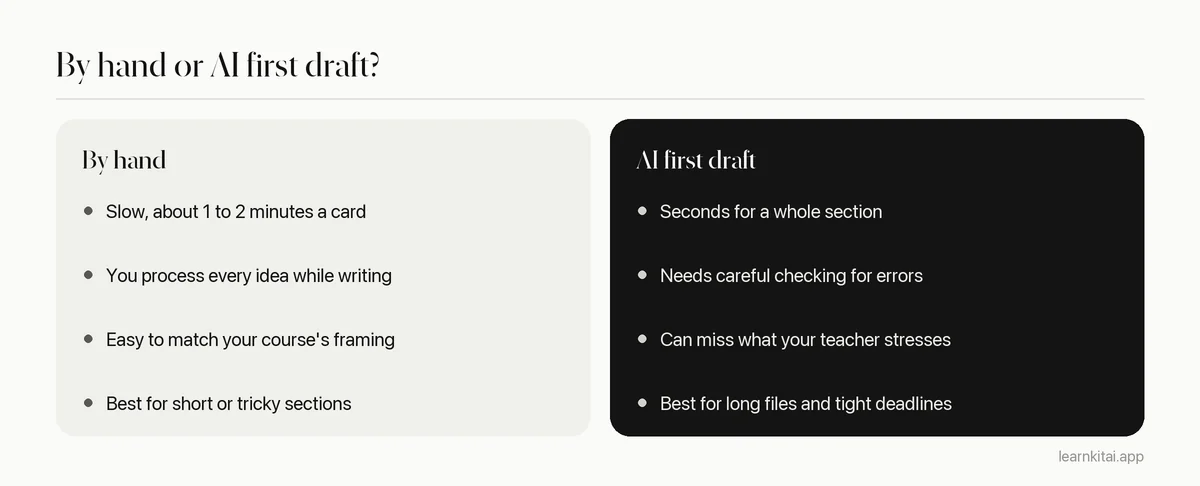
There is a reasonable case for starting from a draft. In a study comparing flashcard formats, students recalled more words from ready-made cards than from cards they made themselves. Making cards is not where most learning happens; the reviews are, and a major review of study methods rated practice testing as one of the most useful techniques students can use. But a ready-made card only helps if it is correct and well written, which is why the checking step is not optional. See how to check AI study notes for errors for a quick routine.
You can try this with the free flashcard maker, which builds a small set from a PDF, pasted text or a link. For a broader look at the options, see our guide to the AI flashcard generator.
A worked example: one page, six cards
Imagine one page of a psychology textbook on classical conditioning. It has a heading, three bold terms (unconditioned stimulus, conditioned stimulus, conditioned response), a diagram of Pavlov's experiment, and a summary box. Here is what comes out of it.
- Definition: What is an unconditioned stimulus? A stimulus that triggers a response without any learning, such as food causing salivation.
- Definition: What is a conditioned stimulus? A once-neutral stimulus that triggers a response after being paired with an unconditioned stimulus.
- Application: In Pavlov's experiment, what was the conditioned stimulus? The sound that was repeatedly paired with food.
- Cloze: After conditioning, salivating to the sound alone is called a ___. Conditioned response.
- Why: Why does the sound eventually trigger salivation? It has been repeatedly paired with food, so it now predicts food.
- Contrast: How does an unconditioned response differ from a conditioned one? The first needs no learning; the second is learned through pairing.
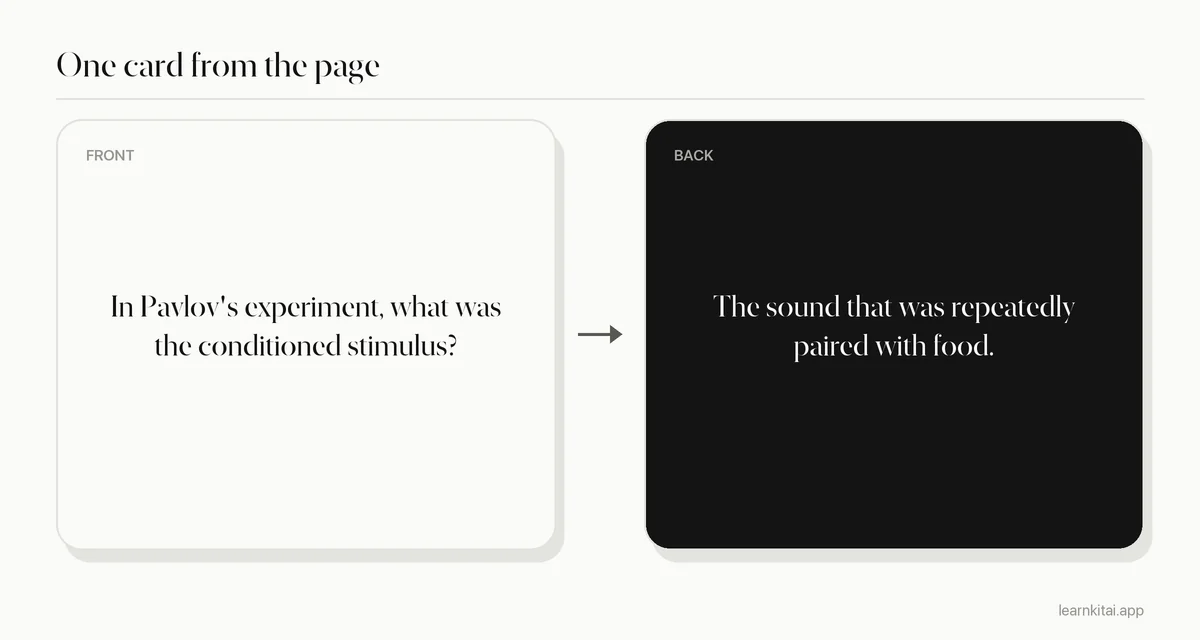
The page had perhaps 400 words. Six cards cover what an exam would ask. The anecdote about Pavlov's career and the example from advertising did not become cards. At this rate, a 20-page chapter becomes 30 to 60 cards, not 300.
How do you make flashcards from PDF files, start to finish?
Skim the whole file for structure, then work section by section: draft cards, check them against the page, edit, and do a first recall pass the same day. Add the deck to your spaced reviews from the next day.
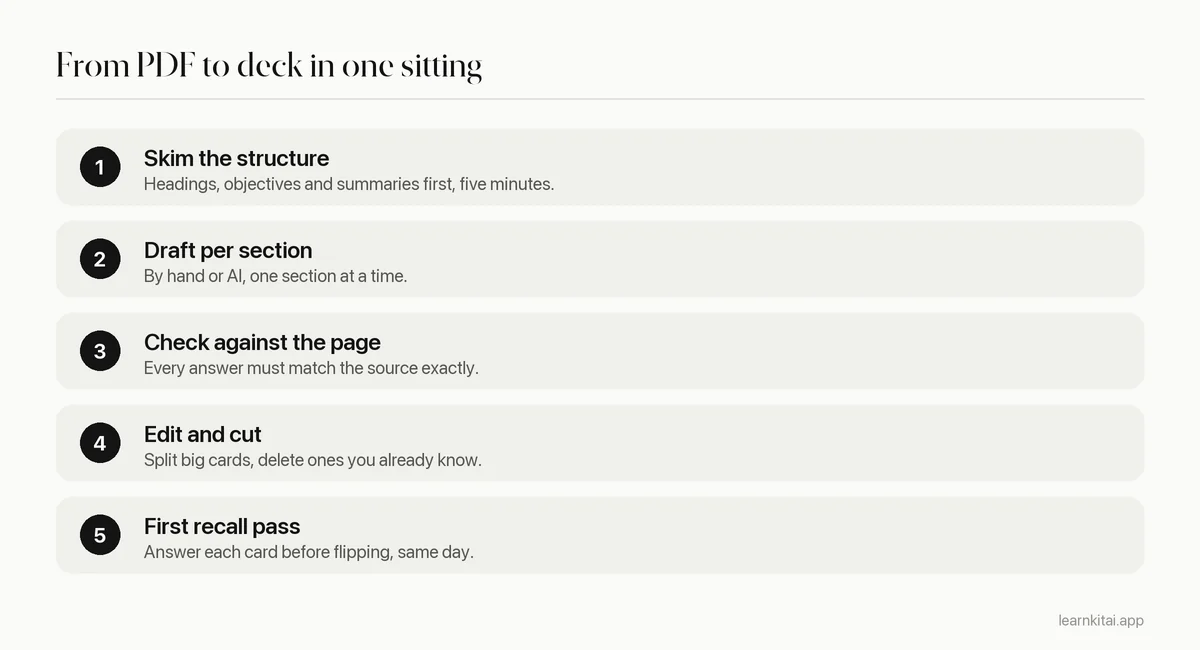
Keep the edit step strict. Use the minimum information principle: one idea per card. Turn definitions into cloze cards when the term makes most sense inside a sentence. And remember that each card brings future reviews; the Anki manual estimates that 20 new cards a day turns into roughly 200 reviews a day. Our pillar guide to making flashcards covers the full writing rules.
If you would rather read the PDF first and card it later, a short summary can help you see the structure. Our guide to studying a PDF with AI shows how to combine a summary, cards and a quiz from the same file.
Frequently asked questions
Can I import a PDF straight into Anki?
Anki does not turn a PDF into cards on its own. You need to write the cards, paste text into notes, or use another tool to generate cards and then import them, often as a text or CSV file with front and back columns.
How many flashcards should a 20-page chapter produce?
Usually 30 to 60 well-chosen cards for a dense science chapter, fewer for a narrative one. If you are heading past 100, you are probably carding examples and minor details instead of the key ideas.
Is it cheating to use AI-generated flashcards?
Using AI to make study cards for yourself is usually fine, since the cards are for practice, not for submission. Check your course policy if you are unsure, and always verify the cards against your materials.
What about PDFs with lots of formulas?
Make cards that ask what each symbol means, when the formula applies, and what the first step is for a typical problem. Check formulas carefully after copying or OCR, since symbols are often garbled.
Sources
- Flip, Slide, or Swipe? Learning Outcomes from Paper, Computer, and Tablet Flashcards, Technology, Knowledge and Learning (Sage, Krebs and Grove, 2019) (Students recalled more words from ready-made flashcards than from self-created ones.)
- Deck Options: Daily Limits, Anki Manual (20 new cards a day leads to roughly 200 reviews a day.)
- Improving Students' Learning With Effective Learning Techniques, Psychological Science in the Public Interest (Dunlosky et al., 2013) (Practice testing rated high utility, supporting flashcards as a study tool.)
Keep reading
How to Make Flashcards That Still Work Three Weeks Later
Most flashcards fail before you ever study them, because of how they are written. Seven rules, real before and after cards, and a study routine that keeps them working.
AI Flashcard Generator Tips: Make Cards Worth Reviewing
AI can draft a deck in seconds. Whether that deck helps you depends on a ten-minute edit most students skip.
Study With PDF Files and AI: Read Less, Recall More
Scrolling and highlighting a long PDF feels productive but fades fast. Here is a five-step AI workflow that turns any PDF into practice.
Minimum Information Principle: Small Cards, Big Recall
One flashcard, one fact. Here is why splitting fat cards into tiny ones makes reviews faster and memories stronger, with worked examples.
Cloze Deletion: Fill-in-the-Blank Cards Done Right
Cloze cards are the fastest way to turn notes into flashcards, and the easiest to get wrong. Rules, examples and the exact Anki syntax.